Enhancing Efficiency with ResRequest’s Report Profiles and Templates
At ResRequest, we continually focus on optimizing your operational efficiency through innovative features. One powerful tool is our Report Profiles feature, allowing you to create and manage custom report templates. This tool saves frequently used reports with specific settings and filters, enhancing both speed and consistency in reporting.
Why Use Report Profiles?
Report profiles allow you to save customized configurations for reports that you frequently generate. With saved filters and settings, you ensure accuracy, consistency, and efficiency, helping your team access the exact data they need without having to reset parameters each time.
Creating Report Profiles in ResRequest
Setting up a report profile is simple:
- Define Report Parameters: Adjust the filters and settings according to your reporting requirements.
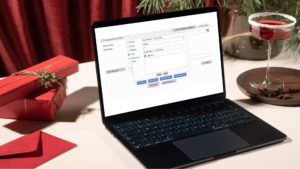
- Save Profile: Once you’re happy with the configuration, click on the “Save Profile” button.

- Name Your Profile: Assign a name to your profile so that it’s easily recognizable in the future.
- Set Access Level:
- User: Visible only to you.
- Global: Available to all users with permissions.
- Environment: Restricted to a specific environment, such as WB or PX.
- Mark as a Favorite (optional): If you’d like to prioritize this profile for quick access, tick the “Favorite” checkbox and assign a unique name if desired.
Managing and Accessing Report Profiles
All saved profiles are organized in a central location, making management straightforward:
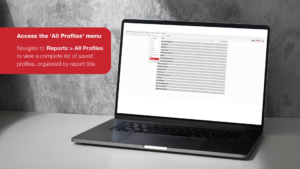
- Access the All Profiles Menu: Navigate to Reports > All Profiles to view and organize your saved report templates by title.
- Filter Profiles: Filter by Global, User, or Environment to locate specific profiles quickly.
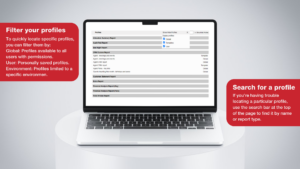
- Environment: Profiles limited to a specific environment (e.g., WB or PX).
- Search Bar: Use the search function to find profiles by name or report type, saving time when you have multiple profiles.
Practical Applications and Tips for Effective Use
Imagine you frequently generate reports for Mara River Lodge, filtering by confirmed and provisional statuses. By creating a report profile specifically for this setup, you can save the settings once and access the exact data with a single click each time.
To make the most of report profiles:
- Naming Conventions: Use descriptive, clear names like “Mara River Lodge All Statuses” to avoid confusion.
- Favorites: Add essential profiles to your favorites for quicker access.
- Consistency Across Teams: Ensure all team members use standardized profiles to maintain uniformity in reporting.
- Regular Updates: Periodically review and adjust profiles as reporting needs change.
Streamlining Your Reporting Process with ResRequest
By leveraging report profiles, you streamline your reporting process, minimize errors, and save time. Embrace this feature to improve productivity and ensure that vital data is always within reach.
For a detailed walkthrough, check out our video on working with report profiles: Watch Now.